
I finally got around to installing SharePoint 2010 Foundation today on my laptop. I followed the MSDN article at http://msdn.microsoft.com/en-us/library/ee554869(office.14).aspx to the letter and it was a Ronseal moment (it did exactly what it said on the tin). My thanks to my good friend Andy Maggs for pointing out the article to me. So, no real problems to report, just make sure you follow all the steps in order. If you, like me, are installing SharePoint on Windows 7, not on a domain, you really have to select the standalone installation in order to use local accounts.
Two great things I noted on completion, number one was that you now get a fully fledged SQL Server 2008 Express instance rather than the WSS 3.0 SQL Embedded database accessible only by Name Pipes , and much better still you do get Business Connectivity Services (BCS) with SharePoint 2010 Foundation as evidenced by the screenshot below.
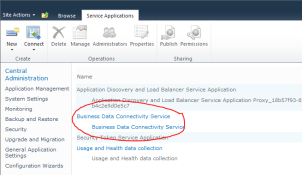
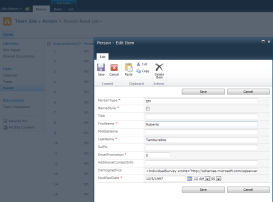
For those of you who don’t know what this means, it means you can use BCS to connect to other Line of Business (LOB) applications, i.e other databases. By default with SharePoint 2010 Foundation you get to connect to .NET types, WCF Services and SQL Server Databases. That’s pretty awesome when you consider that you get full CRUD operations via the SharePoint Web Front end OOTB! So with a little help from SharePoint Designer 2010, AdventureWorks2008 Database and a quick bit of help from this blog entry when I got an "AccessDenied By Business Connectivity Services" message, I quickly connected to a SQL Server Database and had LOB data editing in a jiffy with NO Code … WOW!
Cheers
Dave Mc






 Dave Mc's Blog
Leave a comment