
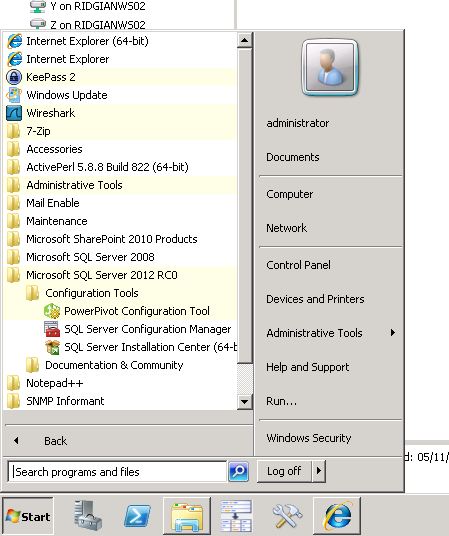
Configuring PowerPivot for SQL Server 2012 is a little different. You now get a Configuration Tool for PowerPivot, rather like you get a Configuration Tool for Reporting Services. The configuration tool can be reached from the Windows Start Menu as can be seen in Figure 1:
You get asked to Configure or Repair PowerPivot for SharePoint next, but the validation doesn’t seem to pick up the fact that you are a Farm Administrator unless you are logged in as the account with which you actually installed and created the Central Administration of your SharePoint Farm. So you get faced with the following dialog whether you are a Farm Admin or not …
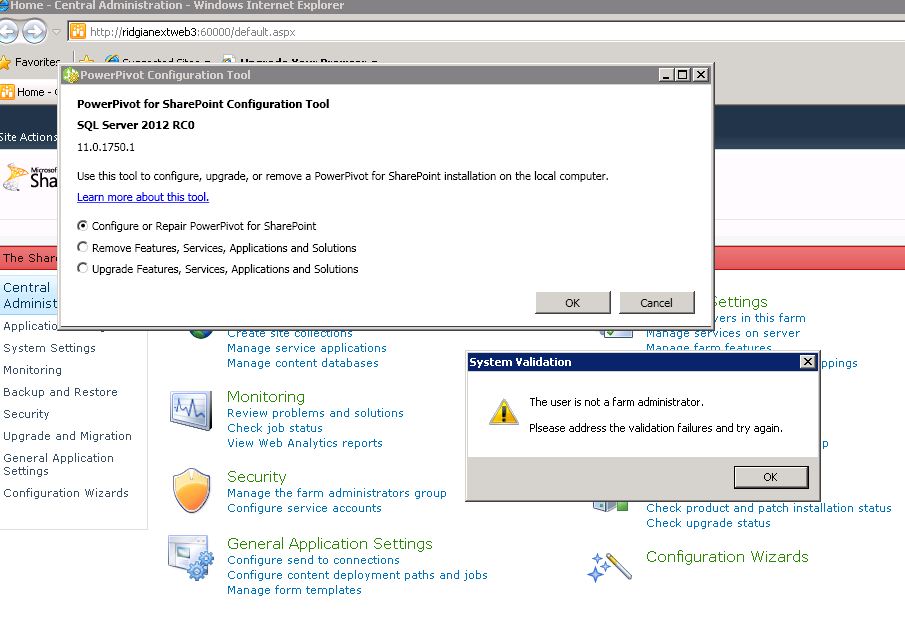
You can be God Admin on every box on the Internet and it won’t make any difference … You’ll just have to log back in as the installation account and then try again. You should see the following colorful “Eaxmining your system.” dialog:
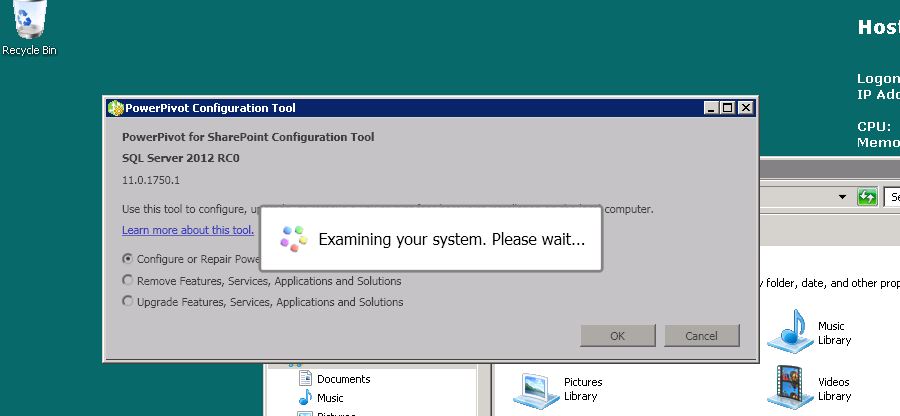
in which case you should be in business.
Good luck.
Cheers
Dave Mc








 Dave Mc's Blog
Leave a reply to Wolfgang Grinfeld Cancel reply